
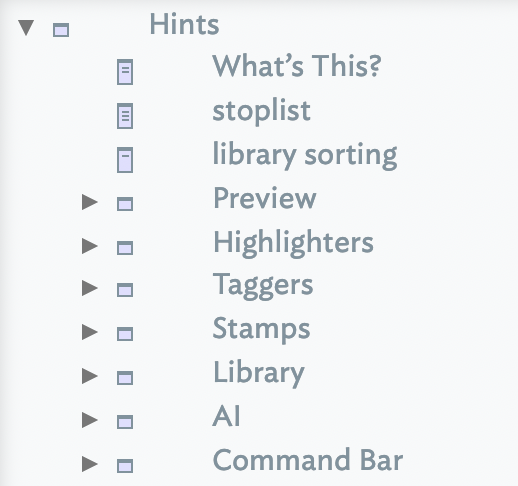
An optional built-in set of containers can be added to a document from the File menu. The container is added at document root and usually at the end of the outline:
/Hints
The hints container holds a number of notes and containers that customise Tinderbox to specific tasks and problem domains. Hints will allow Tinderbox to automatically control:
- the document's stoplist.
- the library sorting term list.
- configuration for template-less styled preview of (Markdown-formatted) pages.
- configuration and addition of highlighters.
- configuration and addition of taggers.
- configuration and addition of stamps.
- configuration and addition external AI integration.
All features controlled via Hints are optional. Some features may require macOS 10.15 or later.
See also—notes linking to here:
- File menu
- Preview container
- Stamps container
- Stamps
- Functions
- Uniqueness, duplicates and matching notes
- Previewing and exporting note content
- Markdown folder
- Using long sections of code—code notes
- Taggers
- Document versus Application: system attributes and defaults
- MCP for AI
- Teaching Claude about Tinderbox
- Comments in Action code
- Command Bar